A new release: Terminaldrome 0.9.7 is out
2026-09-29T17:20:34+02:00
v0.9.7 — the lyrics follow the song
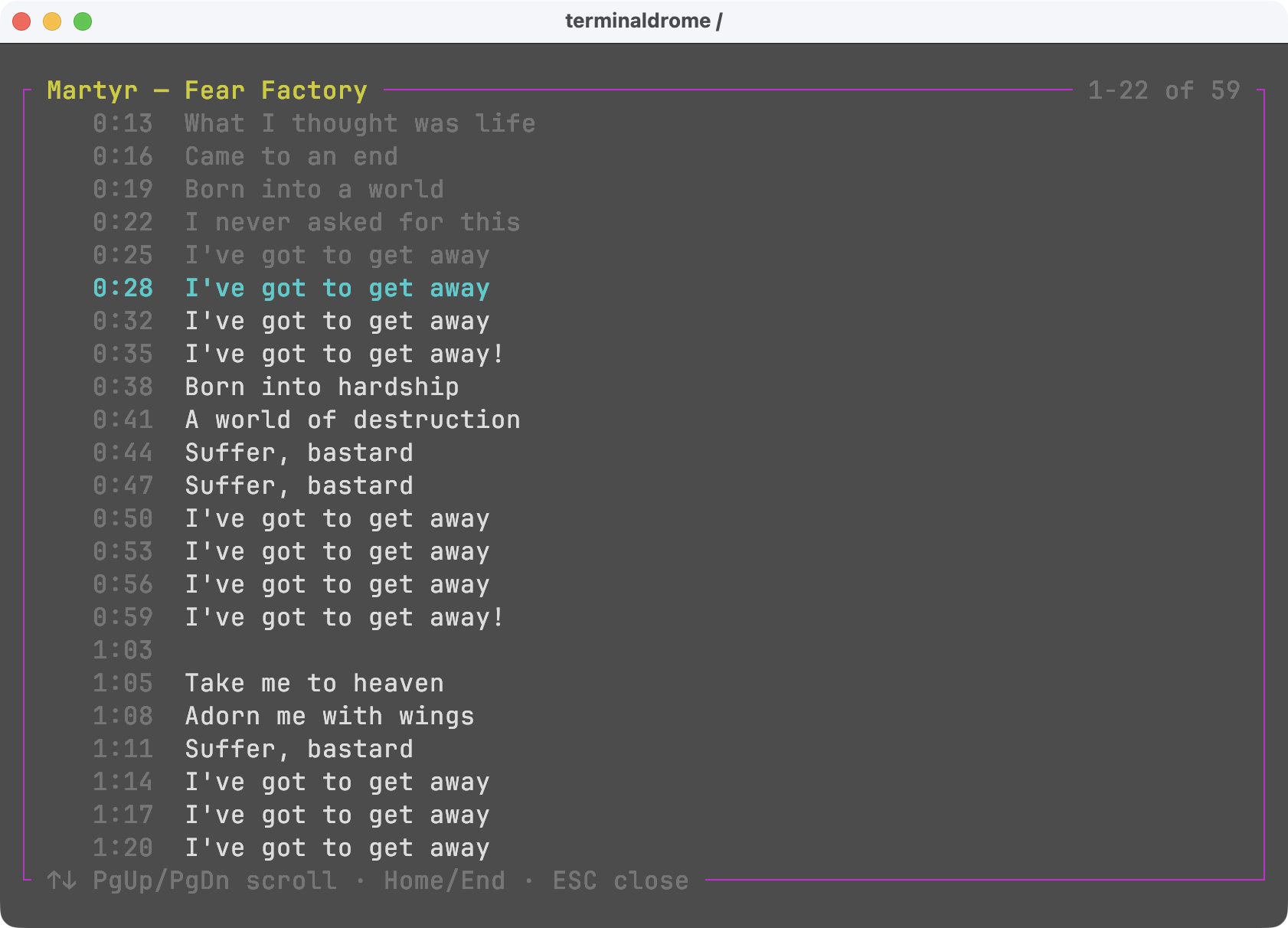
The lyrics view now follows the song. A track whose lyrics carry timestamps
gets the line that is being sung marked and the view scrolling to keep it in
sight, so the words can be read along with the music instead of hunted for.
New in 0.9.7
- 🎤 Lyrics that follow the song — press
Shift+Y and the line being sung
is marked, the lines already past are dimmed, and the view scrolls to keep up
on its own. Read the words along with the music instead of hunting for them.
- 📝 Lyrics that admit when they have no timings — a track whose lyrics
arrive without timestamps says
ohne Zeitangaben in the title bar. They are
shown exactly as before, but a still page was otherwise indistinguishable
from a feature that is not working.
- 📜 LRC parsing —
[mm:ss.xx] and [mm:ss:xx], several timestamps on one
line, unsorted lines, and section markers such as [Chorus].
- 🔀 A source switch is a round trip — each of Navidrome and Bandcamp keeps
the view it was left in, so going to the other server and back returns to the
same artist, album or playlist at the same place in its list.
Two changes behind the first one are worth knowing about if you maintain a
server: the timings live in structuredLyrics, which reaches clients through
getLyricsBySongId, not in the plain getLyrics response. TerminalDrome asks
for that endpoint first and falls back to getLyrics for servers without the
OpenSubsonic extension, so nothing is required of you and no track loses lyrics
it could be shown before.
Keyboard Shortcuts
Navigation
| Key |
Action |
↑ / ↓ |
Move selection up / down |
← / → |
Switch between views (Artists → Albums → Songs) |
Enter |
Confirm selection / start playback |
Tab |
Toggle between Artists and Playlists view |
A–Z |
Quick jump to first entry starting with that letter |
Playback
| Key |
Action |
Space |
Pause / resume (keeps your place in the list) |
x |
Stop playback |
n |
Next track |
p |
Previous track |
+ / = |
Volume up |
- |
Volume down |
m |
Toggle mute |
Shift+S |
Shuffle current album / playlist / Jukebox queue and restart |
Shift+L |
❤️ Like current song |
Lyrics
| Key |
Action |
Shift+Y |
Show lyrics for the playing song |
↑ / ↓ |
Scroll by one line — this stops the view following the song |
PgUp / PgDn |
Scroll by a screenful |
Home / End |
Jump to the start or end, and resume following |
ESC |
Close the lyrics view |
Playlists
| Key |
Action |
a |
Add currently playing song to a playlist |
Shift+N |
Create a new playlist (inside the picker) |
d |
Remove selected song from the open playlist |
Modes
| Key |
Action |
Shift+B |
Toggle music source (Navidrome ↔ Bandcamp) |
Shift+J |
Start Jukebox / Party Mode (random playback of entire library) |
Shift+E |
Toggle fullscreen audio visualizer |
ESC |
Exit Jukebox Mode and return to Artists (also closes the Visualizer) |
Other
| Key |
Action |
/ |
Search |
Shift+H |
Show help screen |
Shift+Q |
Quit |
Shift+I |
Show song info (bitrate, format, play count, …) |
Roadmap
- 1.0 — Queue support: Play next and Add to queue for on-the-fly listening.
After that, TerminalDrome is feature-complete.
Ressources